
One tap. Done.
Check off your meds from your Home Screen. Get a reminder or an alarm when you haven't, and keep a clear record for your doctor.
Free · No account · No ads
Download on the App StoreFor iPhone with iOS 26 or later, including iPhone Duo

Try it
Go on, tap it.
That's the whole idea.
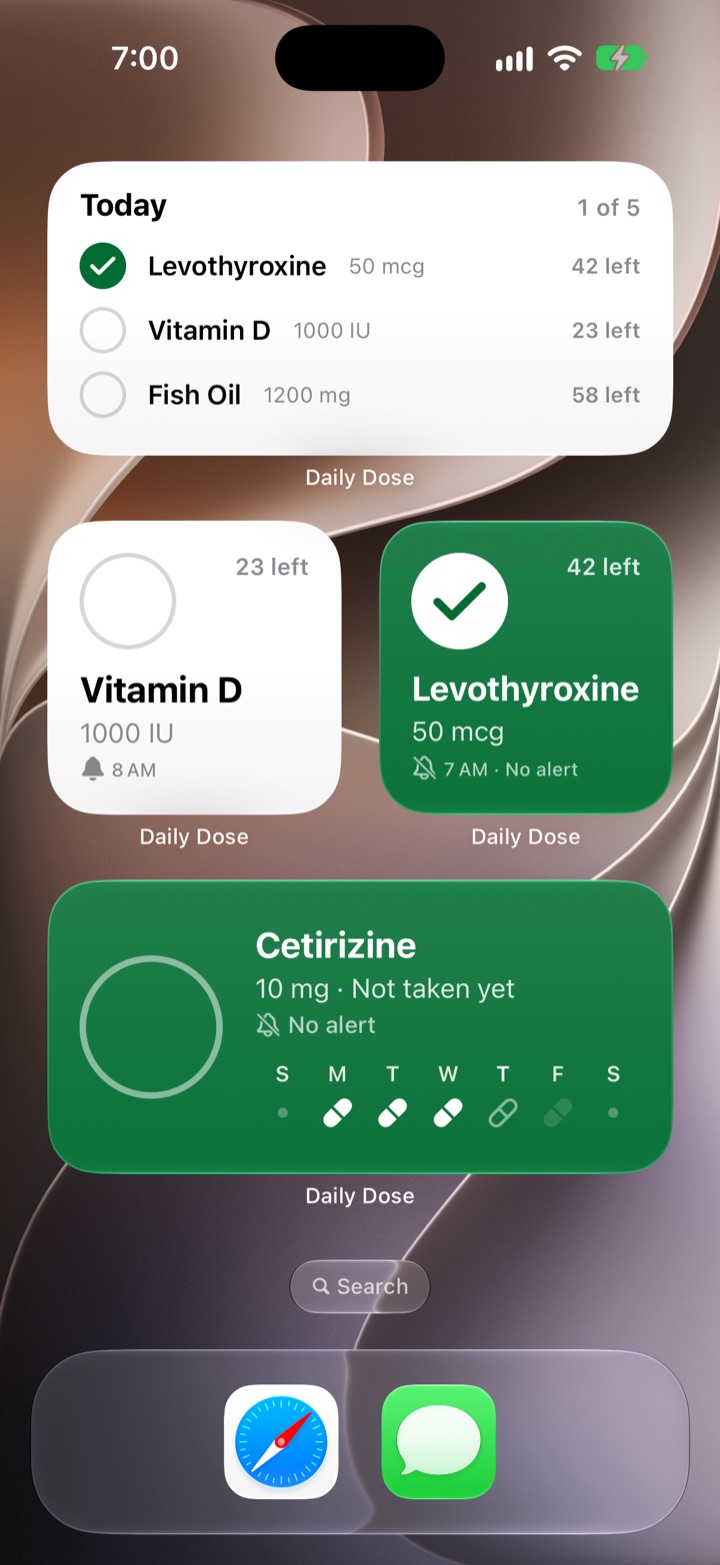
This is a Daily Dose widget. On your Home Screen, one tap checks off the dose, counts down your pills and fills in today on the week strip. No need to open the app.
Widgets
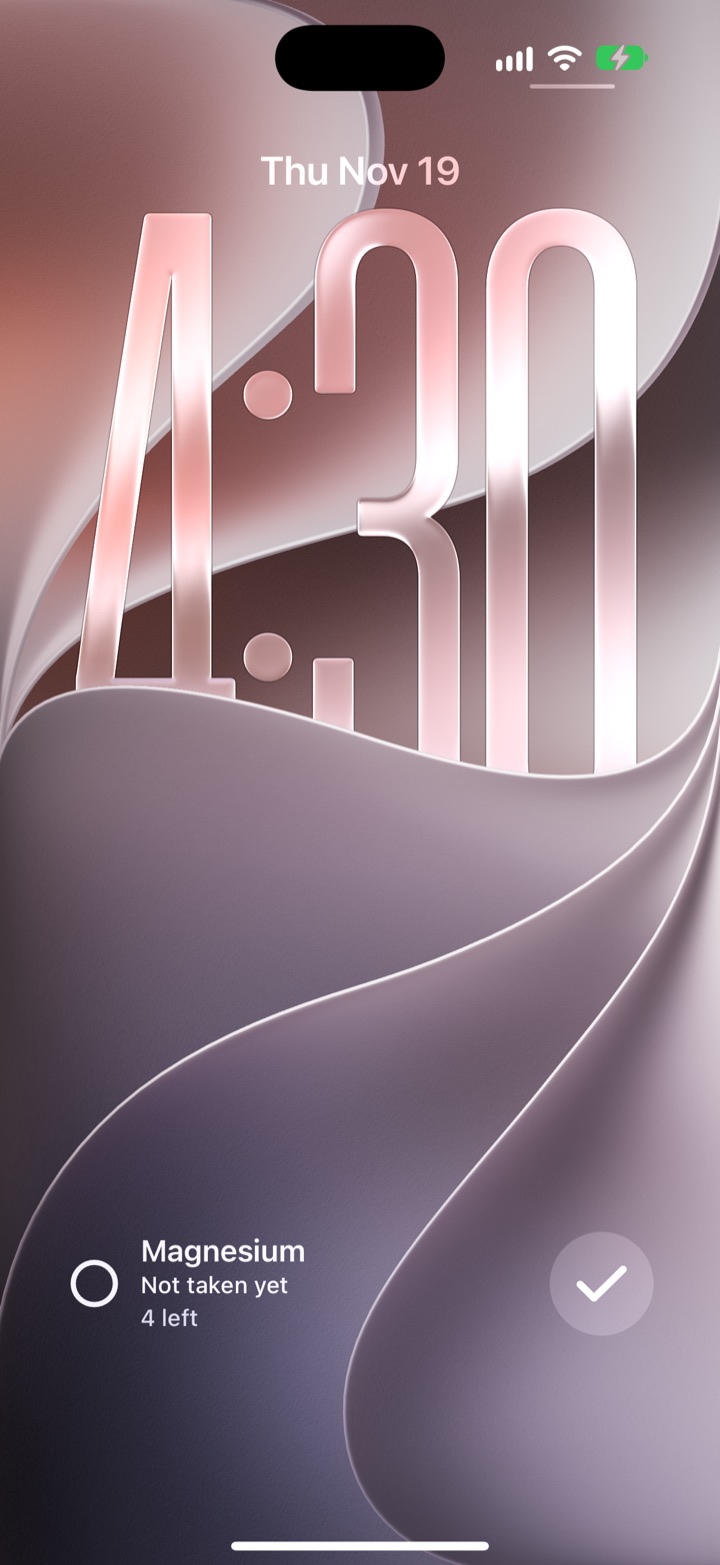
On your Lock Screen, too.
Check off a dose without opening the app.
Tap a widget when you take a dose. Every widget stays in sync, wherever you check it off.
- A single medication, or today's whole list
- Lock Screen widgets, too
- Twelve colors, eight fonts, Bold or Minimal for each widget
- Your reminder and alarm times, and a pill for each day of the week
Reminders and alarms
Rings, even on Silent.
Quiet once it's checked off.
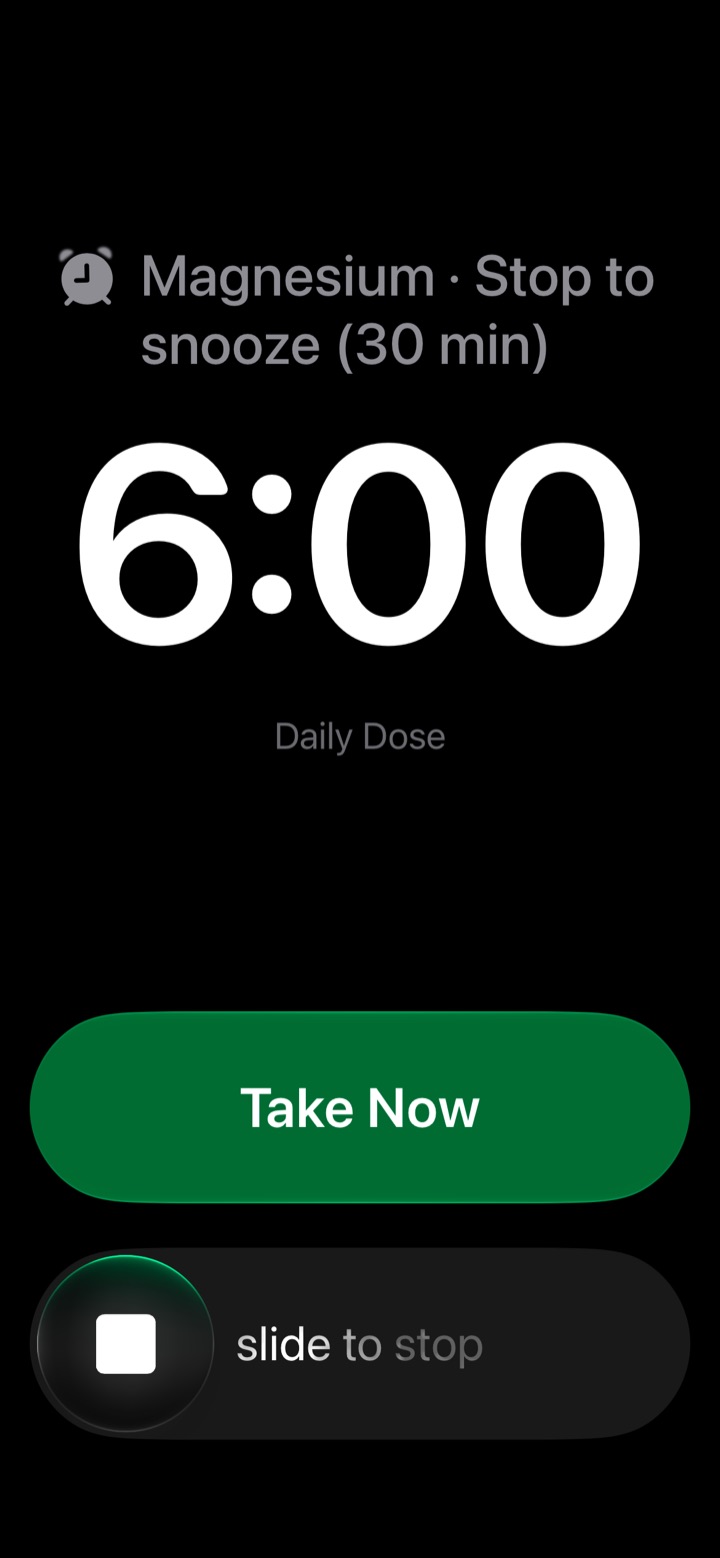
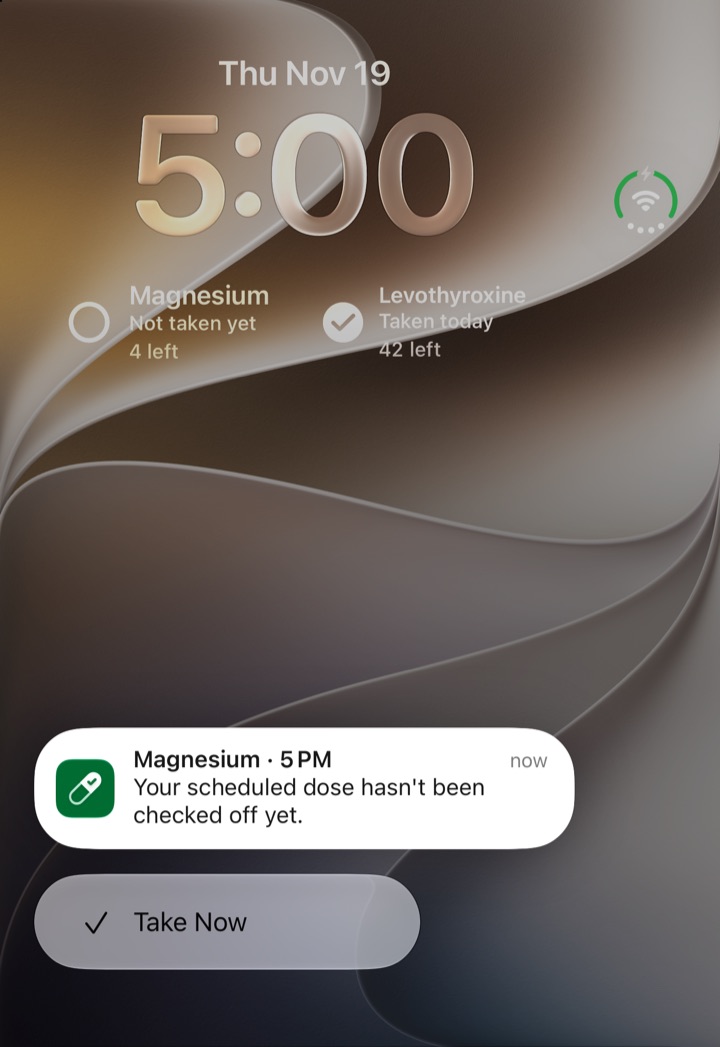
Get a reminder at your time, and add an alarm on its own or as a backup. Alarms ring even in Silent mode or a Focus, unless you've already checked off the dose.
- Tap Take Now on the alarm to check it off
- Slide to stop snoozes it, for as long as you choose
- Touch and hold a reminder to check off the dose from there
Today
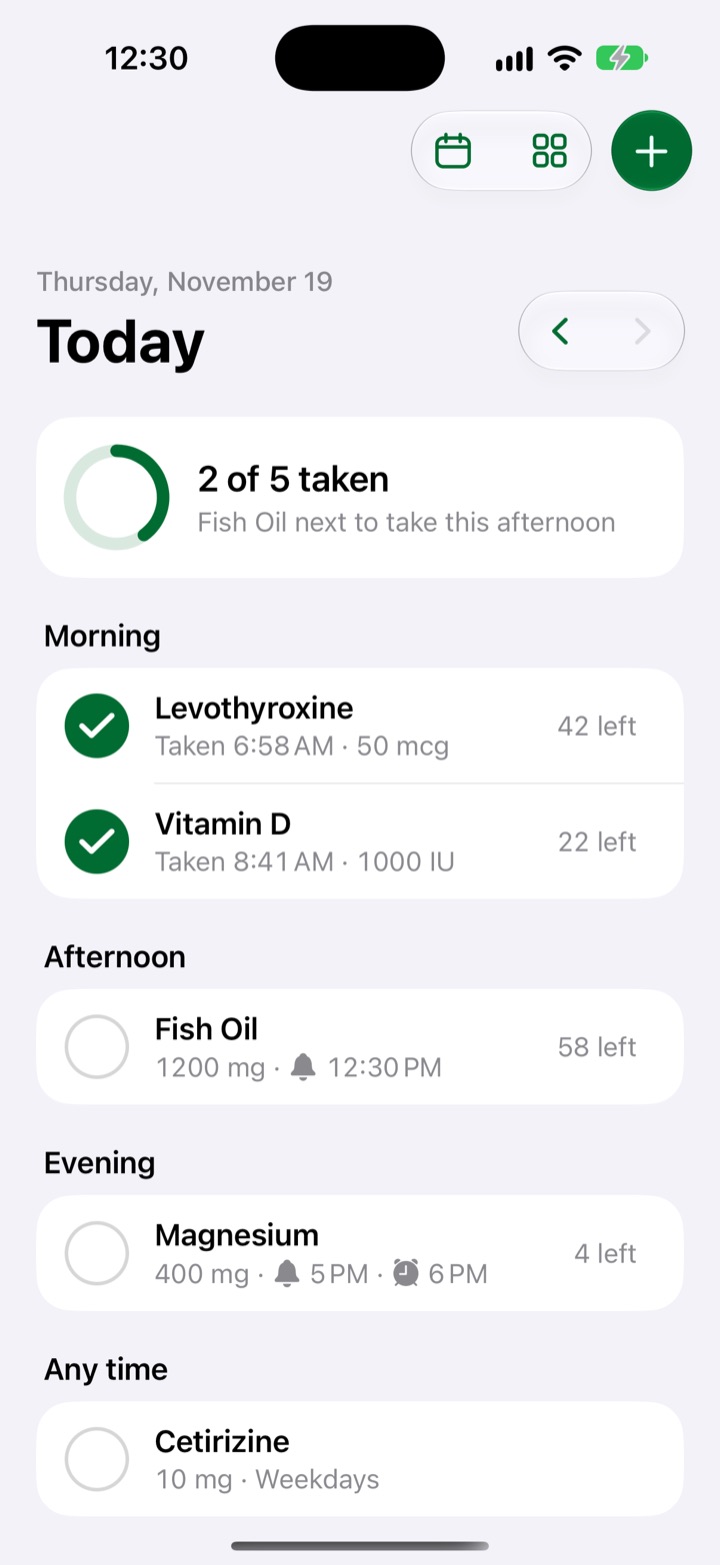
Your day, in order.
Morning, afternoon and evening.
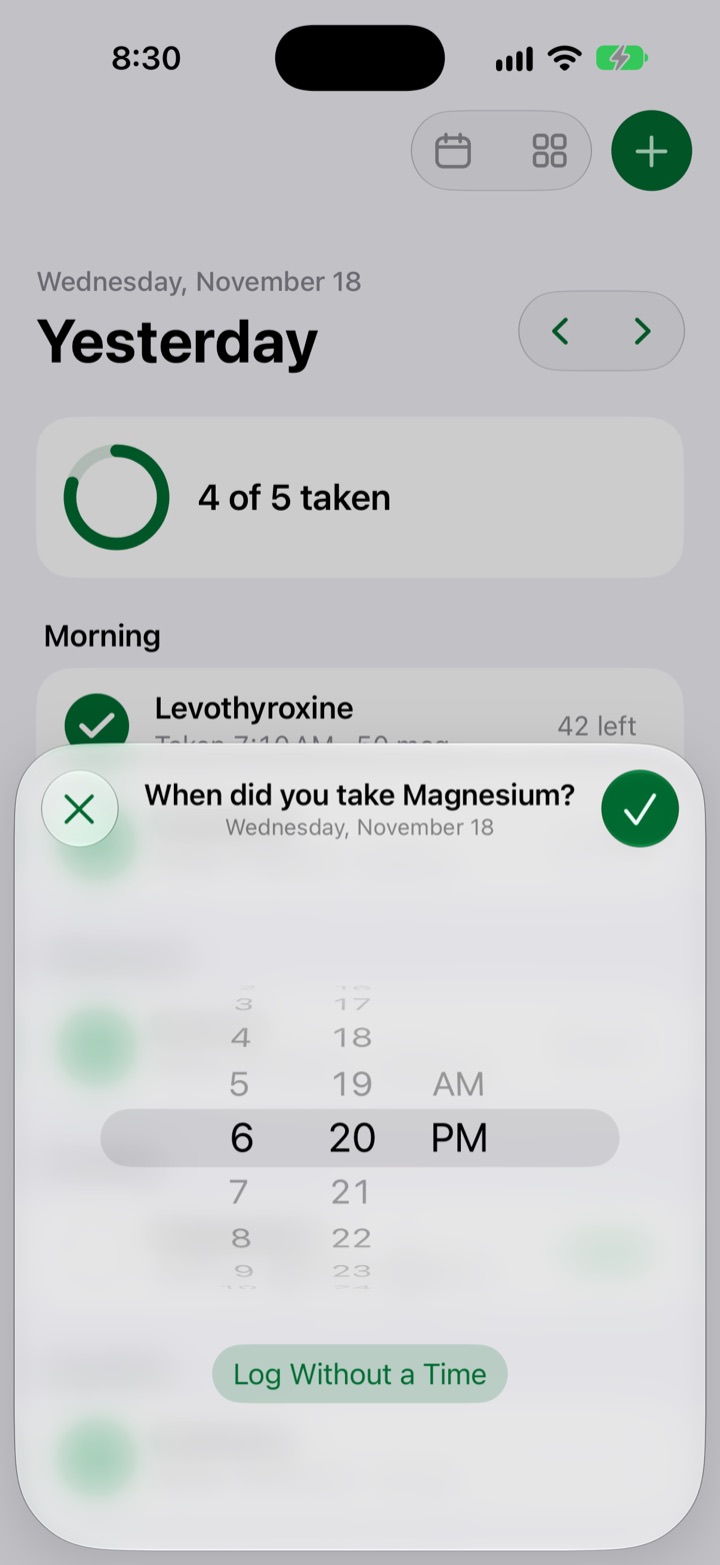
A summary tells you what's next. Missed one? Swipe back to an earlier day and fill it in, with the time you took it.
Calendar and reports
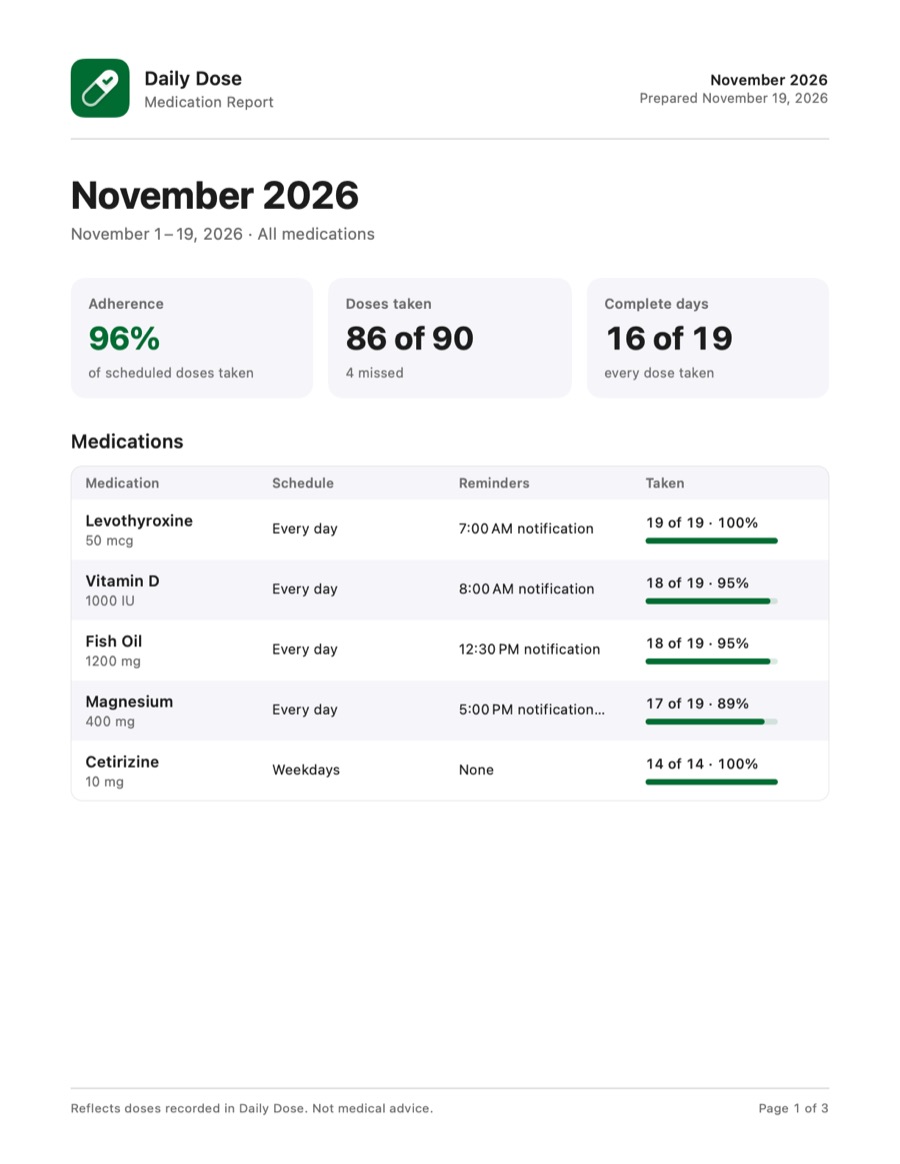
A report for your doctor.
Every dose, and when.
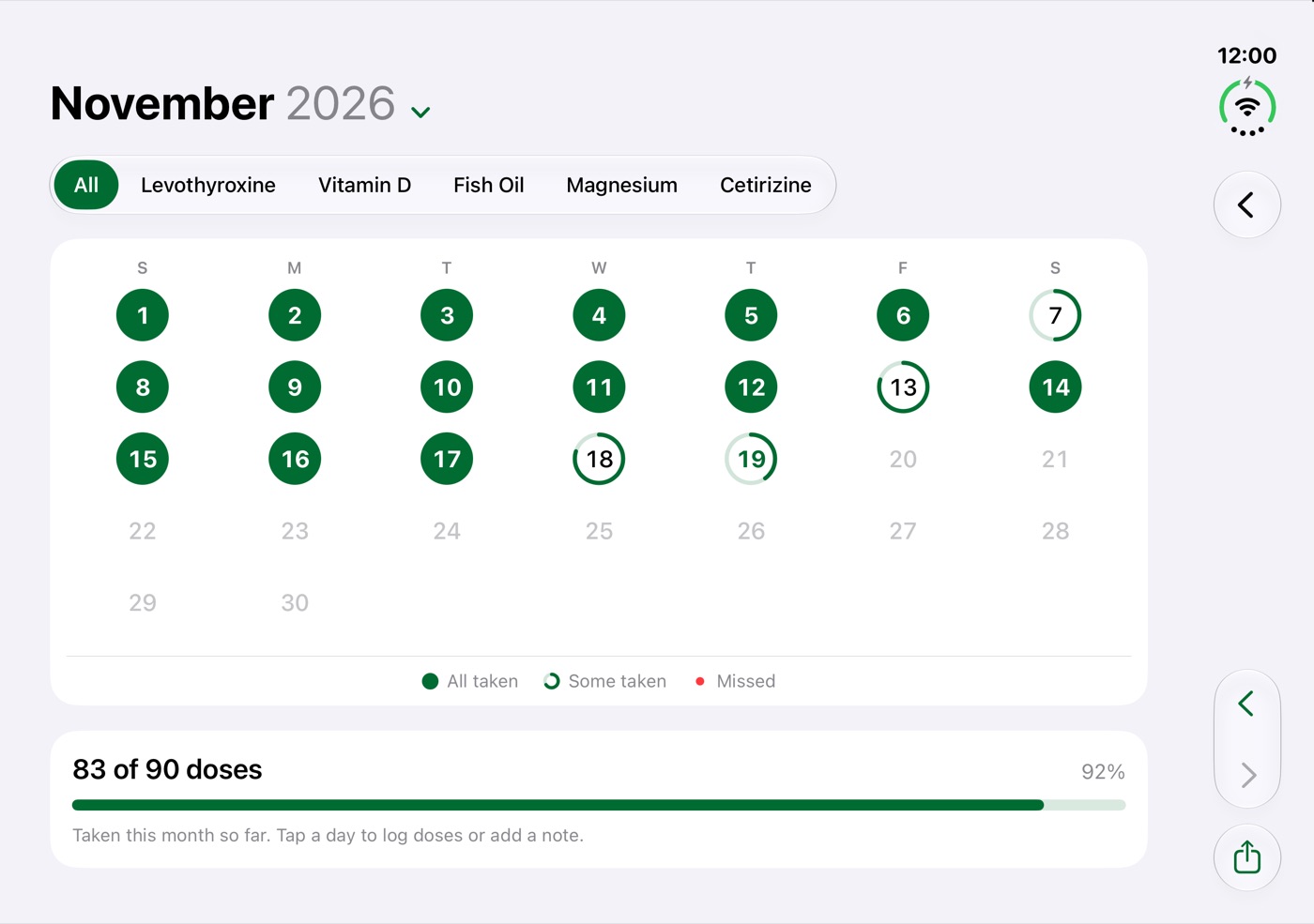
See each month at a glance, including days you took only some doses. Tap a day to change a dose's time or write a note.
- Export a month, your whole history, or any range as a PDF
- A daily log with the time of every dose, and your notes
- Ready to print, email or share
iPhone Duo
The whole month, unfolded.
No need to unfold for a quick check-off.
Daily Dose fits the outer display, and opens up on the inner display, with the calendar in landscape.
Private by design
Nothing leaves your iPhone.
Daily Dose doesn't collect anything. Privacy Policy
Pill counts
Refills, handled.
Track how many pills are left and get a heads-up before you run out. Daily Dose follows Reduce Motion and supports larger text and VoiceOver.
Your meds, one tap away.
Never wonder whether you took it.
Download on the App StoreQuestions? Visit Support.